User documentation
Searching with iFinder5 finds documents from various data sources and of various types. Possible data sources can for example be file systems and Websites.
iFinder can be integrated into your working environment in various ways and customized for your company. iFinder comes in five standard languages and can be made available in additional languages.
Target group
Users searching with iFinder5
Scope
Standard features for searching with iFinder5
Individual functions can be hidden for you. These are marked as optional in the documentation.
Search is configured and integrated individually for your company, for example into the enterprise portal. Thus, some features described here may differ from your integration.
Online help
You can access the online help directly from the iFinder user interface at the top right:
|
Icon |
Description |
|
Launches the online help in a new browser tab. |
Interactive feature tour
Note
The feature tour is only available if it has been configured by the administrator. If you do not see the Feature-Tour entry in your help menu, contact your administrator.
The iFinder feature tour takes you through the main functions: search bar, result list, filters, previews and help. To start the tour, do the following:
Open die Help menu and select Feature-Tour.
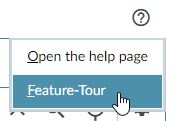
In the start dialog, click Start the software tour.
The following dialogs take you through the different functions.
iFinder applications
iFinder standalone
The iFinder standalone application can be accessed in your web browser:

iFinder searchbar integration
The iFinder searchbar can be integrated directly into your corporate portal or intranet:

iFinder Confluence Search
With iFinder Confluence Search you can use the extensive search options directly and comfortably in your Confluence system:

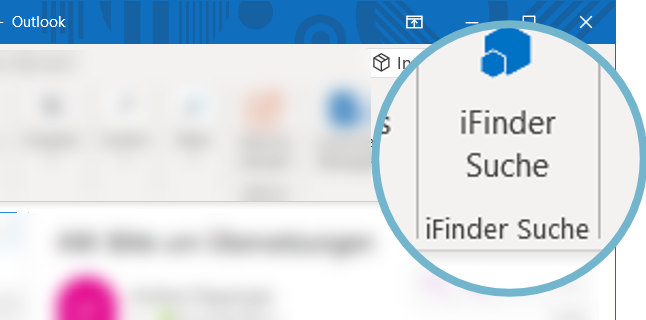
iFinder plugin for Outlook
The iFinder plugin integrates the search directly into Microsoft Outlook:
iFinder for Windows File Explorer search
With the iFinder search connector you can execute the search directly in the Windows File Explorer.
